Co-founder of AURUM, specializing in growth marketing and development.
Quick Takeaways
One of our creators lost her Instagram account overnight. Not because of what she posted — because of the link in her bio. She'd been using GetAllMyLinks, a cloaking tool that redirected straight from IG to OnlyFans. Instagram ran a wave ban and every creator on that tool got flagged at once. Her account, 12K followers, and about $4,000/month in revenue — gone. I've seen this play out dozens of ti...
Why Every OnlyFans Creator Needs a Link-in-Bio Page
Instagram, TikTok, and Reddit all give you one link. That's it. And if that link points directly to OnlyFans, you're asking to get flagged. A link in bio page sits between your social profiles and your OnlyFans. It's a buffer zone — a safe layer that platforms can't flag because it doesn't mention adult content. If you're still building your , start there first. Most creators send followers direct...
The best funnel: Social Media → Link-in-Bio → Free OnlyFans → Paid OnlyFans. A top 1.2% creator shared this exact setup. Every platform points to the link page. If OnlyFans goes down or you switch to Fansly, your posted links still work — they point to your link page, not directly to OF.
CTR from Linktree to OnlyFans (300K click test)
CTR from personal website to OnlyFans (same test)
monthly revenue lost when link tools ban creators overnight
Best Link-in-Bio Tools for OnlyFans Creators (Compared)
I've tested most of these with our managed creators. Here's what actually works — and what'll get you banned.
Link.me — Our current pick
We switched all our managed creators to in late 2025. Honest reason? It looks clean, big creators like Sophie Rain use it, and the premium plan opens links in your phone's real browser instead of Instagram's in-app browser. That one feature — deep linking — can double your click-through rate.
Beacons — Best for analytics
Beacons gives you detailed click data and supports A/B testing on your page. It has a content warning toggle built for adult creators. One click to reach OF — no extra pop-ups like Linktree's 5-click problem.
AllMyLinks — Best free backup
Completely free, explicitly adult-friendly, and sends visitors to OF in one click. Less brand recognition than Linktree, and no deep linking. But as a backup tool that's ready the day your primary gets banned? Can't beat free.
Stan Store and Carrd have both banned adult content entirely. If you're using either one, switch now before you lose your link page without warning.
“We chose Link.me because it looks clean and Sophie Rain uses it. But we're planning to build our own eventually — the cost adds up across 20+ managed creators.”
| Tool | Adult-Friendly? | Free Plan | Paid Plan | Deep Linking | Risk Level |
|---|---|---|---|---|---|
| Link.me | Yes (premium) | Yes | $5/mo | Yes (native) | Low |
| Beacons | Yes (content warning toggle) | Yes | $10/mo | Unknown | Low |
| AllMyLinks | Yes (explicitly) | 100% free | N/A | No | Low |
| Lnk.Bio | Yes | Yes | $0.99/yr | No | Low |
| Taplink | Yes | Yes | $6/mo | Unknown | Low |
| Linktree | Risky (inconsistent) | Yes | $5/mo | No | Medium-High |
| Stan Store | Banned | No | $29/mo | N/A | Banned |
| Carrd | Banned | Yes | $19/yr | N/A | Banned |
Pricing and policies as of February 2026. Always check current terms before signing up.
Does Linktree Allow OnlyFans Links?
Technically, yes. allow adult content links with a "sensitive content" label. But "technically allowed" and "reliably works" are two different things. Creators get their Linktree accounts terminated without warning all the time. And Linktree support? One creator said she had to "send them multiple screen recordings for them to understand what I was even talking about."
Why do link tools keep banning adult creators? It comes down to payment processors. Stripe and PayPal prohibit adult content in their terms of service. Any tool that processes payments through Stripe or PayPal can be forced to remove adult accounts at any time. That's the root cause — and it's why you should never trust any single tool completely.
Get weekly growth strategies
Reddit tactics, Instagram breakdowns, and funnel tips — free on Telegram.
How to Add Your OnlyFans Link on Instagram Without Getting Banned
Instagram is the biggest traffic source for most OnlyFans creators we manage. One of our top creators pulls 80 paid subs per day from IG alone — about $50K/month. Our guide breaks down how she does it. But IG is also where the most accounts get killed over violations. Here's what happened with GetAllMyLinks: it was a cloaking tool that redirected straight from IG to OF. Looked like a shortcut. The...
Instagram's bot clicks through links in its in-app browser. It follows redirects, reads destination pages, and flags accounts based on what it finds. This is why cloaking tools like GetAllMyLinks caused mass bans — Instagram caught the redirect pattern and banned everyone using it at once.
Use a link-in-bio tool, never a direct OF link
Put your Link.me, Beacons, or AllMyLinks URL in the Website field of your Instagram profile. Never paste an onlyfans.com link directly — Instagram's algorithm flags it instantly.
Pick a tool with deep linking
When someone taps your link on Instagram, it opens in IG's in-app browser. Instagram's bot then clicks through every link on your page and flags what it finds. Deep linking tools like Link.me Premium open in Safari or Chrome instead — the bot can't follow you there. This alone can 2x your conversion rate.
Clean up your bio language
Never mention OnlyFans, OF, VIP, or subscribe in your bio text. A $50K/month creator shared this rule: don't mention OF, OnlyFans, or anything about buying — at all. Use phrases like come talk to me or private community instead.
Check your account status weekly
Go to Settings → Account Status. Everything should show green except monetization. If anything turns red, delete the most recent post and wait 24 hours before posting again. And always keep 2-3 backup accounts ready — bans are constant and unpredictable on IG.
TikTok and OnlyFans Links: Why It's Stricter
If you think Instagram is tough, TikTok is worse. TikTok actively scans bio links and blocks anything with 18+ content warnings. Linktree? Completely broken on TikTok for adult creators because its sensitive content warning triggers TikTok's own blocking system.
TikTok blocks Linktree's 18+ warning pages
When Linktree shows its sensitive content interstitial, TikTok detects it and blocks the link entirely. Your followers tap your bio link and get nothing. Multiple creators have confirmed this — it's not a glitch, it's by design.
The IG-intermediary workaround
The safest TikTok funnel goes: TikTok bio → Instagram profile → link-in-bio → OnlyFans. Yes, it adds a step. But TikTok is much less likely to flag an Instagram link than a Linktree or direct link-in-bio tool. Point your TikTok bio to your Instagram, and let Instagram handle the rest.
Keep TikTok content completely clean
No suggestive text, no coded language, no wink-and-nod captions. TikTok's moderation is more aggressive than any other platform. Save the promotion for Instagram and Twitter/X. For the full TikTok playbook, check our .
How to Set Up Your Link-in-Bio Page (Step by Step)
Here's the exact setup I walk every new AURUM creator through. Takes about 15 minutes.
Pick your primary tool
If you can spend $5/month, go with Link.me Premium for deep linking. If you want free, start with Beacons or AllMyLinks. Don't overthink this — you can switch tools without losing anything because your social bios just point to a URL.
Create OnlyFans tracking links
Go to your OnlyFans Settings → Tracking Links. Create one link per platform: instagram, reddit, twitter, tiktok. Each tracking link is a unique URL that tells you exactly where each subscriber came from. This is how you'll know which platform is actually converting.
Build your link page
Add your platform-specific OF tracking links (not your main OF URL). Put your OnlyFans link second or third on the page — not first. One creator found that burying it slightly increased clicks because first position feels too aggressive. Add your other socials below.
Write your CTA copy
Use action verbs on your buttons. See My Exclusive Content converts better than just OnlyFans. Keep it short — 3-5 words per button. Match your tone to your link page tone for consistency.
Set up your backup tool
Create accounts on two link-in-bio platforms. Configure both identically. If your primary gets banned overnight, you swap one URL in your social bios and you're back up in 5 minutes. We use Link.me as primary and AllMyLinks as backup for every creator we manage.
Get weekly growth strategies
Reddit tactics, Instagram breakdowns, and funnel tips — free on Telegram.
Turn Link Clicks Into Actual Subscribers
Getting clicks to your link page is half the battle. The other half? Making sure those clicks become subs. Here's the hard truth from managing OnlyFans creators at AURUM: social-to-OF conversion sits between 0.01% and 3% for most creators. That sounds brutal. But small improvements at this stage multiply your entire income. A jump from 1% to 2% literally doubles your subscriber count from the same tr...
Deep linking is the single biggest conversion lever
Tools that open in the real browser (Safari, Chrome) instead of Instagram's in-app browser see roughly 2x the conversion rate. Instagram's in-app browser is clunky, slow, and makes the payment flow harder. Deep linking skips it entirely.
Button order matters more than you think
Put your OnlyFans link second or third — not first. First position feels too aggressive. Creators report higher click-through when OF is sandwiched between their Instagram and a free social link.
Mobile-first is non-negotiable
Over 80% of your traffic comes from phones. If your link page loads slowly, has tiny buttons, or requires zooming — you're losing subs. Test your page on your own phone before going live.
Track everything with OF tracking links
Our data shows Instagram usually brings the most subs by volume, but Reddit brings the highest-quality traffic — subscribers who actually spend money on PPV and tips. Without tracking links, you'd never know where to focus your time. Check our for the full tracking setup.
typical social-to-OnlyFans conversion rate
conversion lift from deep linking vs in-app browser
of social media traffic comes from mobile devices
Your Link-in-Bio Backup Plan
Every link-in-bio tool can ban you overnight. Linktree's done it. GetAllMyLinks caused a wave ban. Even adult-friendly tools change their policies when payment processors pressure them. You need a backup plan before you need a backup plan. Some creators build a landing page on their own domain as an alternative — but the data shows link aggregators still convert better.
The best strategy: use a link aggregator as your primary (for conversion), but point all your social bios to a custom domain that redirects to it. If your link tool gets banned, update the redirect to your backup tool — your social bios never change. This is what we recommend for every AURUM creator.
Mini Case Study: 4.3× More OF Conversions in 21 Days
Linktree with 9 links, explicit wording, low conversions (~1.2%).
Optimized to 4-link structure, safe copy, aesthetic design, VIP microcopy, IG story funnel, OFTV included.
Mistakes to Avoid
Linking directly to OnlyFans from social media
Direct OF links get flagged instantly on Instagram, and your account can be shadowbanned or disabled. Always use a link-in-bio tool as a buffer between your social profiles and OnlyFans.
Relying on a single link-in-bio tool
Tools ban adult creators without warning — we've seen it happen with GetAllMyLinks, Stan Store, and Carrd. Always have a backup tool configured and ready to swap in within 5 minutes.
Mentioning OnlyFans in your Instagram bio text
Even abbreviations like OF or coded terms like VIP trigger Instagram's flagging system. A $50K/month creator's rule: never mention OnlyFans, subscriptions, or money in your bio text. Use your link-in-bio page for that.
Using Linktree on TikTok
Linktree's sensitive content warning triggers TikTok's 18+ link blocking. Your link literally stops working. Use the IG-intermediary method instead: TikTok bio → Instagram → link-in-bio → OnlyFans.
Frequently Asked Questions
You can, but you shouldn't. Instagram's algorithm flags onlyfans.com links and can shadowban or disable your account. Use a link-in-bio tool like Link.me, Beacons, or AllMyLinks as a buffer instead.
AllMyLinks is the best free option — it's explicitly adult-friendly, sends visitors to OF in one click, and has never banned adult creators. Beacons also has a solid free tier with better analytics.
Linktree allows adult links with a "sensitive content" label, but enforcement is inconsistent. Creators get banned without warning, and the sensitive content warning causes up to 5 extra clicks on some devices. It also doesn't work on TikTok for 18+ content.
Deep linking opens your link-in-bio page in the phone's real browser (Safari, Chrome) instead of Instagram's in-app browser. This matters because IG's bot scans links in the in-app browser and flags OnlyFans destinations. Deep linking bypasses this and roughly doubles conversion rates.
Go to OnlyFans Settings → Tracking Links and create a unique link for each platform (Instagram, Reddit, Twitter). Add these platform-specific links to your link-in-bio page instead of your main OF URL. OnlyFans then shows you exactly how many subscribers came from each source.
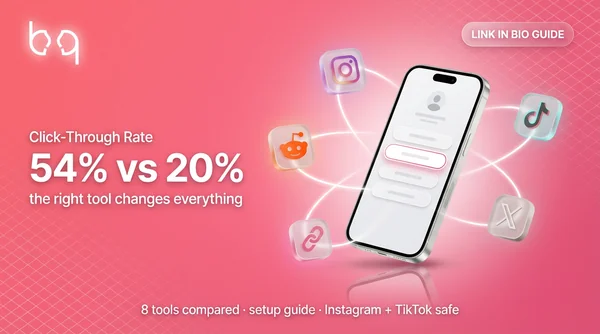
Probably not for conversion. A creator tested 300,000 clicks and found Linktree had 54% CTR to OnlyFans versus only 20% from a personal website. Users already associate link-in-bio tools with OnlyFans, so they click through faster.
TikTok doesn't allow direct OF links or link-in-bio tools with 18+ content warnings (like Linktree). The safest approach: point your TikTok bio to your Instagram profile, then use Instagram's bio for your actual link-in-bio tool.
Summary
Your link in bio is the bridge between your social media following and your OnlyFans income. Pick a tool that won't ban you (Link.me or Beacons), set up OF tracking links to know where your subs come from, and keep a backup ready at all times. The bigger picture? Your link page is just one piece of the funnel. Once it's set up, the real work is through consistent promotion across Instagram, Reddit...
Get weekly growth strategies
Reddit tactics, Instagram breakdowns, and funnel tips — free on Telegram.
Want Experts Managing Your Traffic?
Our team handles link setup, social promotion, and funnel optimization for creators earning $5K+/month.